The On It Studio
How Do I Build a Customer-Centered Sales Strategy? 4 Steps
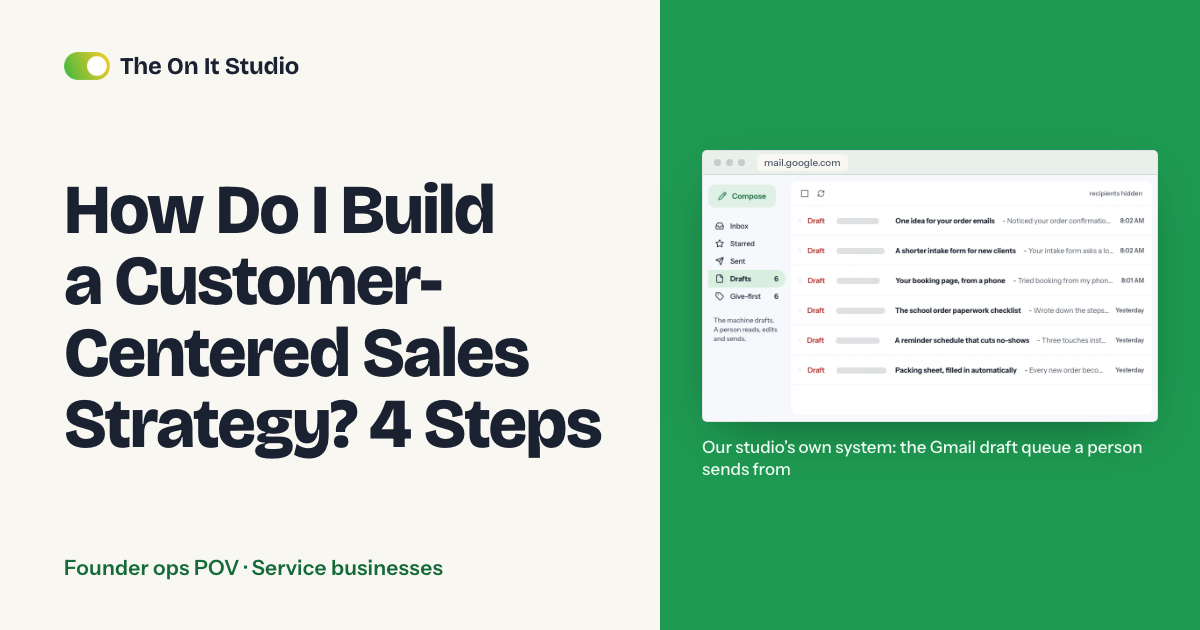
If you sent a quote or a price last week, left the next move to the customer, and just heard they booked someone else, this guide is for you. For a clinic, salon, contractor or agency, a customer-centered sales strategy starts the minute someone gets in touch, and it's what keeps leads from going quiet. We'll set up four things: five intake questions, a lead sheet with a status column, three saved follow-ups and one named owner per handoff. You'll need a spreadsheet and your inbox. The sheet takes under an hour, and the whole system takes an afternoon.
How do I stop leads from going quiet?
For a small service business, a customer-centered sales strategy comes down to two things the customer notices: you replied on the day you said you would, and you remembered what they asked for.
The sheet tracks the dates and turns the date red on the day it's due. A person writes the replies and the quote.
How many leads does a slow reply cost you?
Here's a rough way to count it: if 10 enquiries reach you a month and 2 go quiet because your reply came too late, that's 24 enquiries a year. Multiply 24 by what an average job is worth to you, and that's the yearly cost of a late reply. Use your own last 30 days: count enquiries that got no reply within a day.
Which intake questions should you ask every lead?
Ask the same five, in the same order, at first contact. Each answer saves you a back-and-forth later, so cut any question you won't act on.
Step 1: put five intake questions where leads arrive
- What do you need?
- By when?
- What's the rough scope or budget range, if you know it?
- What's the best way and time to reach you?
- Who else is involved in the decision?
The "by when" answer goes in the Needed by column, and the day you promise the quote sets your first next-action date. "Who else decides" keeps you from quoting a homeowner whose spouse hasn't seen the number. Don't skip the contact question, either. A lead who asked for a text and gets a call at 2 p.m. hears that you didn't listen. For a haircut or a routine checkup, a salon or clinic can drop the budget question and "who else decides" and keep the other three.
- Website form: add "Name" and "Phone or email" as required fields above the five, keep "Best way and time to reach you" as the preference question, and make "Needed by" a date picker
- Clinic web form: make question 1 a dropdown (New patient consult / Existing patient / Billing question) instead of a text box, so patients don't type health details into a form that feeds your lead sheet
- Mark "Need" as required too and leave the other four optional, so the form stays short
- Phone: tape the questions next to the phone, or pin them as the top note in your shared inbox
- Email and social messages: reply with the same five in a short note
- Test it: submit your own form and check that each answer lands where you'll look, then read the questions aloud to whoever answers your phone and reword any they'd have to explain
How do you build a lead sheet with a status column?
One shared sheet, one row per lead. You'll open it each morning to see who needs you today, and the Status and Next action date columns answer that at a glance.
Step 2: set up the sheet with seven statuses
- Create a new Google Sheet with these columns: Date in, Name, Contact, Need, Notes, Needed by, Status, Next action, Next action date, Owner
- Select the Status column, then Insert > Dropdown, and add the seven statuses from the table below
- Select the Next action date column > Format > Conditional formatting > 'Date is before' > 'Tomorrow' > red fill, so every date due today or earlier is red each morning until someone moves its date
- One rule the system depends on: every time you touch a row, set the next status and Next action date before you leave it
- Data > Create a filter, then sort by Next action date so today's job sits at the top
- Test it: add a dummy lead dated today and confirm it turns red
| Status | Owner |
|---|---|
| New | Whoever answers the phone or inbox |
| Contacted | The person quoting |
| Quote sent | The person quoting |
| Waiting on them | Same person, with a date |
| Booked | A named delivery lead |
| Done | The delivery lead, at handover |
| Closed lost | Whoever closes it, with a one-line reason |
Here's the part nobody tells you: "Waiting on them" is where leads go quiet. It feels like the customer's turn, so the row sits untouched until they've booked someone else. Put a date and a name on each row in that status, and the red highlight will tell you the day it's yours again.
Then split the work. Use a Zapier or Make step to add each form submission as a new row in your lead sheet, with Status set to New and Next action date set to the Date in. You're not retyping enquiries, and a new lead's date turns red the day it arrives instead of sitting blank at the bottom of your sort. Keep a person on the exceptions, like an enquiry that doesn't fit your fields or a lead who writes in twice. At this stage we'd automate one message only: a plain "thanks, we got your message" to someone who just contacted you.
Two things will break. Statuses go stale, and "Waiting on them" fills up. A five-minute pass over the red rows each morning catches both. Keep complex jobs and sensitive enquiries (a patient asking about a procedure, a client in a dispute) manual from the first message. Clinics also need to keep health details out of the sheet: write "new patient consult, details in practice software" in Need and Notes, and check with whoever handles your patient privacy compliance before patient names go into a shared sheet or a Zapier or Make step.
When should you follow up, and what should you say?
Step 3: save three follow-up messages
- Same day, from a person: "Hi [name], I'm [your name]. I'll have [the quote/an answer] for you by [day]."
- After a few days: "You mentioned [their need] by [their date]. Do you want us to hold a slot?"
- After about a week: "Checking whether [one specific question] is still open for you. If not, we'll close this out for now. Reply anytime and we'll pick it up."
- Save all three as templates in your email tool or shared inbox
- Test it: read each one aloud and rewrite any that sounds like a form letter
Messages 2 and 3 point back to something the lead told you and ask one easy question. Your form's automatic "thanks, we got your message" already said thanks, so message 1 skips it: a person sends it the same day, with a name and the day you'll have an answer. Send them only to people who contacted you first, and stop as soon as someone asks you to.
Write the schedule down once. Our default assumes your customers decide within about a week of getting a quote, so the follow-up days count from the day the quote goes out.
- First reply: send message 1, set status to Contacted, Next action date = the day you promised the quote
- Quote goes out: set status to Quote sent, Next action date = today + 3
- 3 days after the quote: send message 2, set status to Waiting on them, Next action date = today + 4
- 7 days after the quote: send message 3, Next action date = today + 3
- 10 days after the quote with no reply: set status to Closed lost with a one-line reason
- If they reply at any point, set the status to match (Booked, or back to Contacted) and give it a new Next action date
If your jobs take weeks to decide, stretch the gaps.
Who owns the handoff?
One named person owns each row, and "the team" doesn't count as one. Leads can slip at three moments: first reply to quote, quote to booked job, booked job to delivery. The third is the one we'd watch, because the person who sold the job thinks it's done and the person delivering it hasn't heard a word.
Step 4: name an owner for each handoff
- Fill the Owner column on each row, using the table above as the rule
- The day a lead moves to Booked, change Owner to the delivery lead's name and add to Notes anything the customer told you on the phone that isn't in the columns
- At Booked, set Next action date to the delivery lead's first contact or kickoff date. At kickoff, move Next action date to the next check-in or the handover date. When the job is handed over, the delivery lead sets status to Done. Clear Next action date only at Done or Closed lost, so finished jobs drop off the red list
- Each morning, sort by Next action date and work the red rows top down
- Test it: pick three rows at random and ask whose each one is; a name should come back within five seconds
Should you hire someone to run this or automate it?
Do both, and split the work: a person handles the conversation, and the sheet handles tracking and reminders.
Worried a sheet will make a referral-and-phone business feel corporate? Your customer never sees the sheet. They see a reply on the day you promised, from someone who didn't spend the morning hunting for dates. A 2026 Gartner survey on customer service points the same way: 87% of customers say it is essential for companies to provide an option to reach a human agent when using GenAI. That survey is about AI in customer service, not lead follow-up, but the lesson carries over: whatever you automate, leave a clear route to a person.
If you'd rather hire a receptionist or VA to handle it, a person without a system still forgets, and tracking dates by hand is work a reminder can do. Give the new hire this sheet on day one, so they start with statuses and owners already in place.
The guide to automated appointment reminders applies the same split to bookings. For a way to keep a person inside an automated flow, see the AI content workflow with a human approval step. More in our founder ops series and the guides for service businesses.
What can you do this week?
Build the sheet first. It takes under an hour, and by the end you'll know how many leads were already slipping.
- Copy the columns above into a new Google Sheet
- List every open lead from the last 30 days, one row each
- Give each row a status, a next-action date and a named owner
- Send the follow-ups that are already overdue, using the three messages from Step 3
After two weeks, automate one thing and leave the rest manual: a scheduled Zapier or Make run each morning that emails the owner every row whose Next action date is today or earlier.
The On It Studio runs this kind of admin for small teams: see what we take on or get a free ops audit.
Frequently asked questions
What is a customer-centered sales strategy?
For a small service business, it's a simple system for what happens after a lead arrives. You ask every lead the same intake questions, track each one in a sheet with a status, follow up on a fixed schedule, and give each handoff one named owner.
How do I follow up with leads without being pushy?
Reference what they told you, ask one easy question, and offer a next step. A message like "You mentioned a Friday deadline. Do you want me to hold a slot?" respects their time, and a courteous last note after about a week closes the loop without pressure.
What should I put in a lead tracking spreadsheet?
Date in, name, contact, need, needed-by date, status, next action, next-action date and owner. The status and next-action date columns do most of the work, because they show what needs attention today.
How often should I follow up with a lead?
Our suggested default is a same-day acknowledgement, a second touch after a few days, and a last courteous note after about a week. That's a starting point, not a researched benchmark, so stretch the gaps if your customers take weeks to decide.
Should a small business use a CRM or a spreadsheet to track leads?
Start with a shared spreadsheet. If you can't keep seven statuses and a next-action date current in a sheet, a bigger tool won't fix that, and the sheet shows you which columns you'd carry over later.