The On It Studio
How Do I Automate Invoice Reminders? A 5-Step Setup
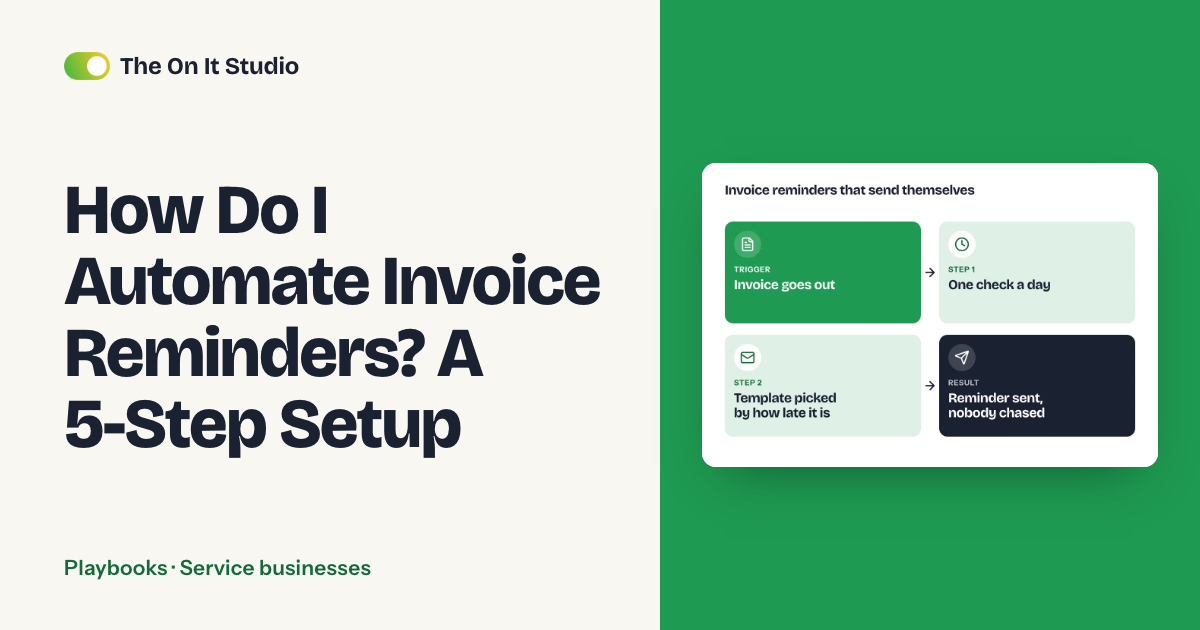
It's the 12th, and you're scrolling your invoicing tool to see who still owes you for last month. Then you type the same polite nudge you sent the month before. We'll show you how to automate invoice reminders for your small business with three scheduled messages, a stop rule that cancels them when a client pays, and one person who owns anything still unpaid after 14 days. You'll use the invoicing tool you already have. Add a workflow tool like Zapier or Make only if your invoicing tool can't run the sequence itself. Plan on an afternoon.
Can you automate invoice reminders without sounding like a robot?
Yes. Keep the messages short and use the client's first name. Send them from a real person's address, and make sure they stop the second payment lands. Clients forgive an automated email. They don't forgive one that arrives after they've paid.
Tone counts for more when you run a clinic or a contracting business, because you're probably the one chasing, and you'll see that client again next week. The messages below are written to sound like you. A few clients stay off the sequence entirely, and the hand-versus-automate table further down shows which ones.
What do you need before you automate invoice reminders?
You need three things. Skip any of them and you'll send wrong messages faster.
- Invoices that carry a due date. Reminders key off that date, so a blank one means nothing fires.
- A current email for the person who pays. On a contractor job or an agency retainer, that's often someone other than the person you talk to.
- A schedule you've picked. For net-15 to net-30 terms we'd use 3 days before due, the due date, and 7 days overdue, then hand it to a person at 14 days.
Reminders also make a good first automation for a second reason. The job repeats in the same format against a fixed deadline, so it's easy to hand off, and you probably put it off anyway. A 2025 MIT Sloan Management Review article makes a related point. Small and midsize businesses don't need expensive core-process automation to see gains, because peripheral tasks like monitoring work progress are cheaper to automate. The article doesn't mention invoices. Putting invoice chasing in that peripheral group is our call. Its under-$300 figure is for an order-tracking system, so don't read it as the cost of reminders.
How do you automate invoice reminders in 5 steps?
Menus differ by invoicing tool. Each click path below names the settings area instead of promising an exact label, and the test at the end of each step tells you whether it worked, whatever your screen calls it.
Step 1: Set the due date and pay link on every invoice
Say you send a contractor invoice on March 1 with net-15 terms. It's due March 16, so the heads-up goes out March 13 and the firmer note goes out March 23. Your tool can only do that math if the due date exists.
- Open your invoicing tool > payment terms settings
- Set a default term that matches your contract (net 15, net 30)
- Make the due date a required field on new invoices
- Turn on the online pay link so each invoice carries one
- Test: create a draft invoice and confirm the due date and pay link fill in without you typing them
Step 2: Write the three reminder messages
Copy the wording from the templates further down.
- Open your invoicing tool > reminder or email template settings
- Create three templates, one per touch
- Add merge fields: client first name, invoice number, amount, due date, pay link
- Set the sender to a person's name and address (a "noreply" sender tells clients not to answer)
- Test: send each template to yourself and read it
Step 3: Turn on automatic sends
Check first whether your invoicing tool has built-in reminders. If it does, this step takes five minutes.
- Open your invoicing tool > reminder schedule
- Add three offsets: 3 days before due, on the due date, 7 days after
- Attach the matching template to each
- Test: confirm the preview shows the right send dates for your dummy invoice
If your tool allows only one or two offsets, build the sequence in a workflow tool that reads invoices from your invoicing tool. Here's the part nobody tells you: a daily workflow that looks for invoices "exactly 7 days late" drops reminders for good. Miss a single run (a paused workflow or a weekday-only schedule) and that invoice is 8 days late the next morning. It won't match "exactly 7" again.
- Run the schedule all seven days of the week
- Search for open invoices and loop over each result (your workflow tool will call this an iterator or a loop step). A search step on its own may return only one record, and then only one client gets reminded
- Branch on "days late is greater than or equal to" each threshold, instead of "equals"
- After each send, write the touch number back to the invoice (a custom field, memo or tag) and skip any invoice already at that number
- Test: pause the workflow for two days, turn it back on, and confirm the missed reminder goes out exactly once
Step 4: Add the stop rule and the escalation owner
DIY setups tend to skip this step, and that's how a client who already paid ends up chased.
- Confirm that marking an invoice paid cancels all pending reminders
- Add a manual pause for disputed invoices and agreed payment plans (a tag or status your tool respects)
- At 14 days overdue, create a task or send an internal email to one named person, with the client, amount and invoice link in it
- Put that person's name in the Owner column of the table below, so the job belongs to someone specific
- Test: mark your dummy invoice paid and confirm nothing else is scheduled
Step 5: Test with a dummy invoice, then review weekly
- Create a real invoice addressed to your own email, due three days out
- Run the test checklist in the next section
- Add a recurring 10-minute slot to your calendar for the weekly overdue check
- Test: the heads-up should reach your inbox today, since the invoice is already three days from due
What does the reminder workflow look like on one page?
Print this and fill in the names. Each row is a handoff with one owner at most, and the 14-day row has to be a person.
| Trigger | Step | Tool | Owner |
|---|---|---|---|
| Invoice sent | Due date and pay link set | Invoicing tool | Whoever bills |
| 3 days before due | Friendly heads-up | Invoicing tool | None needed |
| Due date passes unpaid | Short reminder with pay link | Invoicing tool | None needed |
| 7 days overdue | Firmer reminder, copies account owner | Invoicing tool | Account owner (copied) |
| 14+ days overdue | Task to call or email personally | Task or inbox tool | [One named person] |
| Payment received | All reminders stop, invoice marked paid | Invoicing tool | Automatic |
| Dispute flagged | Reminders paused by hand | Invoicing tool | Account lead |
The three messages (fill in the brackets):
Before due: Hi [Client first name], a quick heads-up that invoice [Invoice number] for [Amount] is due on [Due date]. You can pay here: [Pay link]. Thanks, [Your name]
Due date: Hi [Client first name], invoice [Invoice number] for [Amount] is due today. Pay link: [Pay link]. If it's already on its way, thank you and ignore this. [Your name]
7 days overdue: Hi [Client first name], invoice [Invoice number] for [Amount] was due on [Due date] and we haven't seen payment. Pay link: [Pay link]. If something's holding it up, or a payment plan would help, reply and we'll sort it out together. [Your name]
None of the templates mention late fees. If you add them, check your contract and local rules first.
The test checklist:
- Send the dummy invoice to your own email.
- Check the due-date math against your calendar.
- Click the pay link.
- Mark the invoice paid and confirm the reminders stop.
- Open each email on your phone and read it at arm's length.
When should you chase an invoice by hand vs automate it?
Automate the routine nudge on standard terms. Handle it yourself when the relationship matters more than the speed.
| Automate | Keep by hand |
|---|---|
| Standard terms, repeat clients paying on time | Disputed invoices |
| The heads-up and the due-date note | First-time clients |
| The 7-day overdue reminder | Large balances |
| Creating the 14-day task | Clients mid-treatment or mid-project |
We'd keep everyone in the right-hand column off the sequence from the day you send the invoice. If a long-standing client is a week late, pause their sequence by hand and call them before email number three goes out.
What breaks, and what does it cost to maintain?
Four things go wrong, listed here from most to least frequent.
Wrong due dates top the list: someone sends an invoice on the default term when the contract said something else. Stale contact emails are next, and the reminder lands with a former office manager. Then come payments you took by check or cash and didn't record, so the tool keeps nagging a client who's paid. Last is tone. A message that reads fine to a stranger can sting a regular client, so re-read all three each quarter.
Maintenance is a 10-minute weekly look at the overdue list. Give each overdue invoice a reason, fix any email that bounced, and record payments that came in off-system. Say you chase 12 invoices a month by hand, with two follow-ups each at 5 minutes a pop. That's 2 hours a month (an estimate, so log your own number for a fortnight).
You don't need AI for any of this. A Federal Reserve Banks survey reported that 46% of firms with 1 to 499 employees are using AI in some way, and a 2026 St. Louis Fed survey found most firms still at an early or limited stage. Neither survey looks at invoicing. Reminders run on a date and a paid status, and a setup that plain doesn't need AI.
For a similar build, see our appointment reminder playbook. If you're weighing outside help, what AI automation costs a small business breaks down the pricing. The Playbooks hub has more step-by-step builds, and the service business hub collects the posts written for clinics and contractors.
What should you do first?
Send yourself the dummy invoice today. It takes about 15 minutes. Mark it paid after the first reminder arrives, and you'll know whether the due-date math holds and the reminders stop, before a real client sees any of it.
If you'd rather hand the admin to an ops team that automates it, that's what The On It Studio does, and our free ops audit starts with you telling us where your week goes so we can send back what we'd take off your plate.
Frequently asked questions
How early should the first invoice reminder go?
Three days before the due date is a good starting point: it's early enough for the client to schedule payment and late enough that the invoice is still fresh. Shift it if your terms are unusually short or long.
Will clients think automated reminders are rude?
Not if the messages are short, use the client's first name and come from a real person's address. The ones that annoy people are the reminders that keep arriving after payment, which is what the stop rule prevents.
Do I need AI to automate invoice reminders?
No. Reminders run on a due date and a paid or unpaid status, so your invoicing tool's built-in reminders or a simple workflow tool are enough. AI can help draft message wording, but the schedule doesn't depend on it.
What if a client already paid by check or cash?
Record the payment in your invoicing tool the day it arrives, because the stop rule only works on payments the tool knows about. Check the overdue list weekly so a late entry doesn't trigger a reminder.
Can I automate follow-up calls?
Automate the task, not the call. At 14 days overdue, have the system create a task or flag for one named person to phone or email personally.